

Do you love Heyama and want to share the experience with your friends? We have the answer: referrals! In this article, find out how to refer your friends on Heyama, step by step, and what you get in return.
How to refer your friends on Heyama
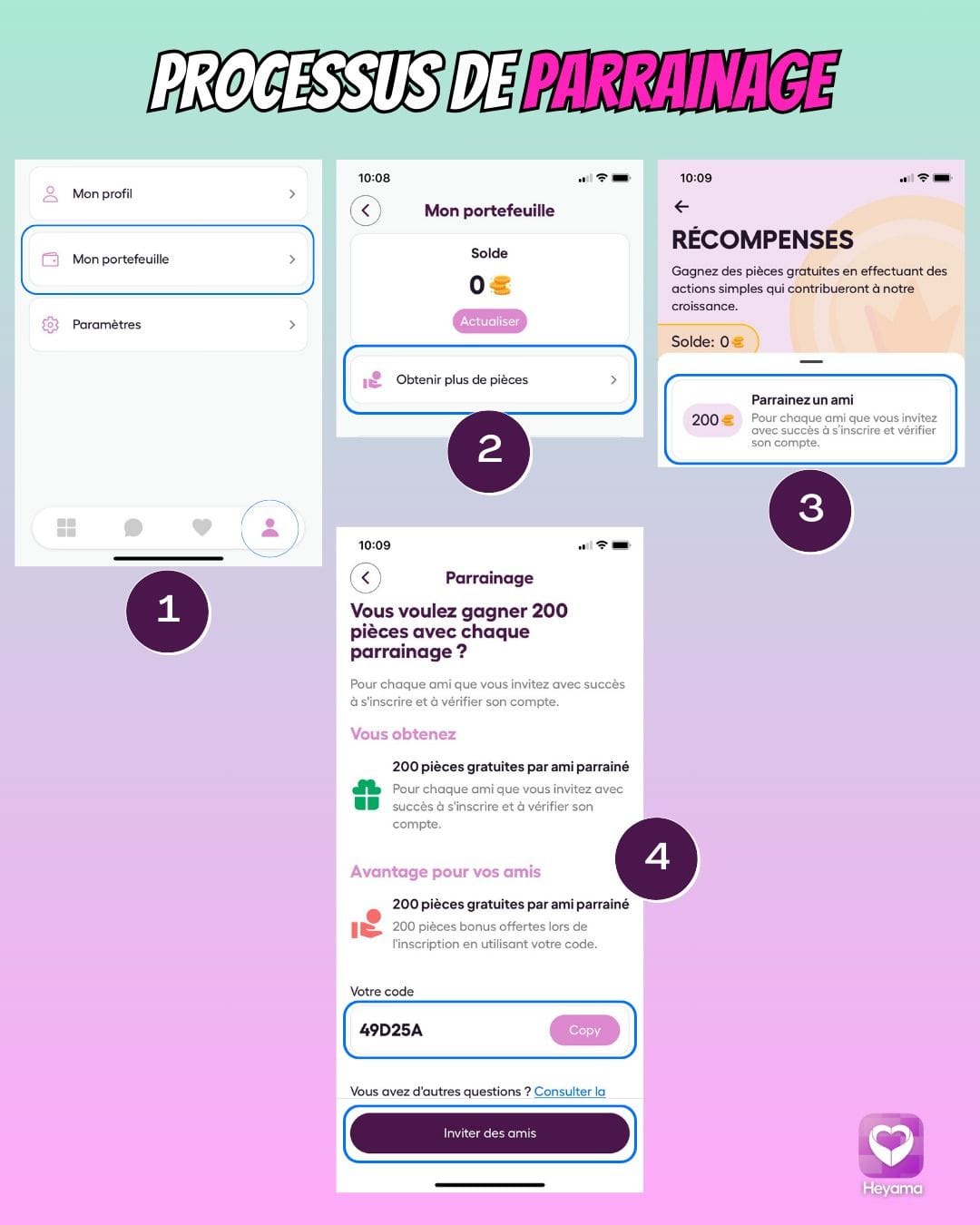
- Go to your profile and open the "My wallet" section.
- Tap "Get more coins".
- Select "Invite a friend".
You are now ready to invite your friends to join Heyama! Your code is also in Settings > Tools > Referral, under "My referral code".
Two ways to invite your friends
You can choose between two options:
- send an invitation directly by tapping "Invite friends";
- or copy your referral code and send it to your friends any way you like.
The process is shown in the video and image below.
200 coins for you and your friend
For the referral to count, your friend must sign up on Heyama and verify their account. Once that is done, you and your friend each receive 200 coins as a reward! A great way to start your Heyama journey with a little boost. Good to know: a person can only be referred once, and only with the first account created on their phone. Find out what coins are for on Heyama.
Referrals are not only about earning coins: by inviting your friends, you also help our community grow and create new connections. Everyone wins!
Refer as many friends as you like
And that is not all: you can refer as many friends as you like. The more you refer, the more coins you earn, and the better your chances of meeting interesting people on Heyama.
Referrals on video and in pictures
So what are you waiting for? Start referring your friends on Heyama now and enjoy the benefits!