
Want to delete your Heyama account? You can do it directly in the app, in a few seconds.
How to delete your Heyama account
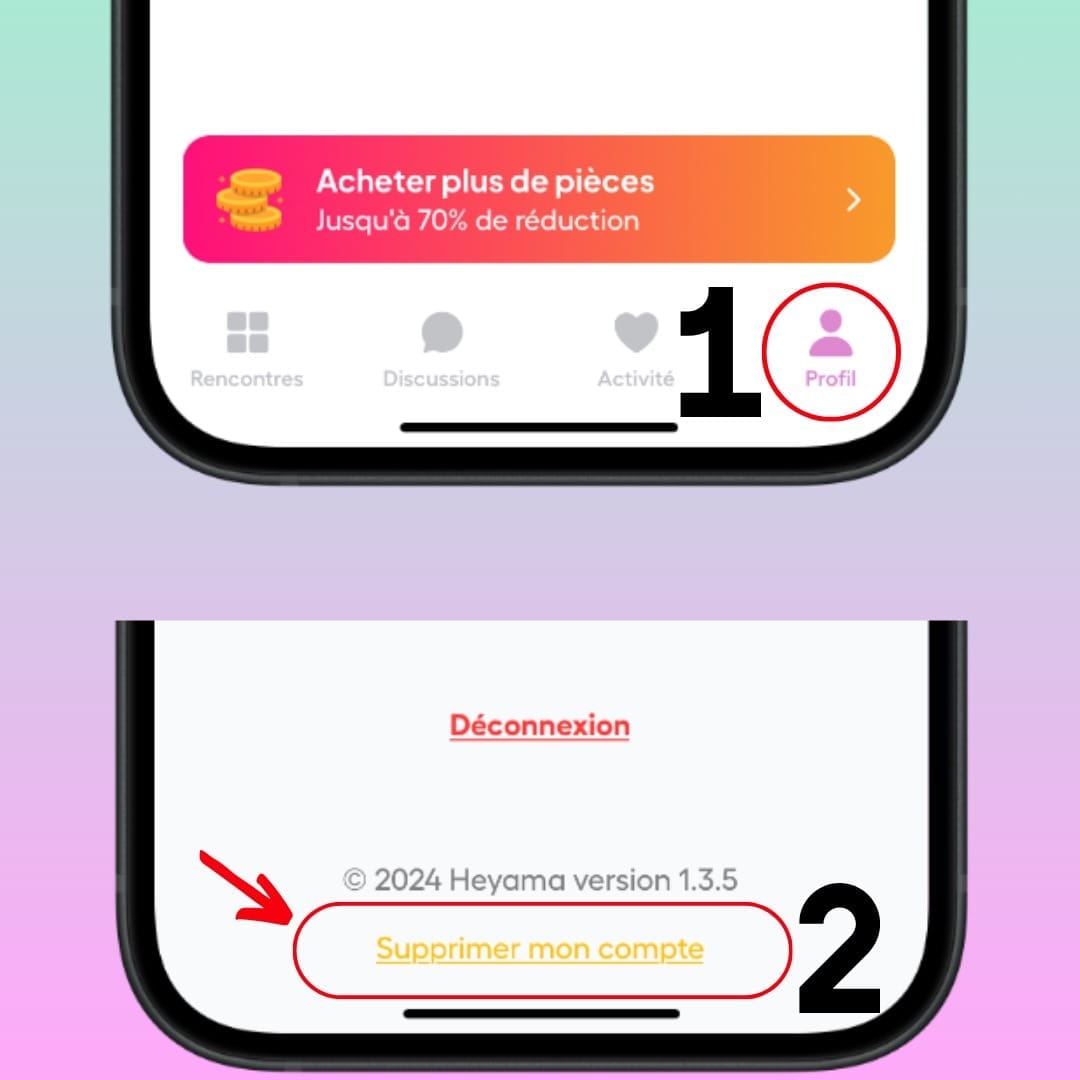
- Open your profile.
- Go to settings.
- At the very bottom, choose the "Delete my account" option.
The next screen gives you a choice: "Pause my account", to take a break, or "Delete my account". Then pick the reason you are leaving from the ones offered.
Before you delete your account
If you mainly want to avoid one particular person, you don't necessarily need to delete everything: find out how to end a conversation, block or report a profile. And if you are simply looking for more privacy, here are 2 tips for using Heyama discreetly.