Heyama is much more than just a dating app: it is a space designed to help you build real, lasting connections. But to make the most of it, you need to know the right tools. Here is how to get the best out of each Heyama feature.
The Heyama features you should know
Profile Boost
Turn it on for 1, 6 or 24 hours to gain visibility and be seen by more people. Boost is bought with money, not coins, from the “Boost your profile” card on your Profile. Perfect when you want to maximise your chances of a match.
Our tip: start your Boost at a time when you are free to reply. More visibility means more messages, and a quick answer always makes a good impression. To learn more, read our article on Boost and Profile Views on Heyama.
Profile Views
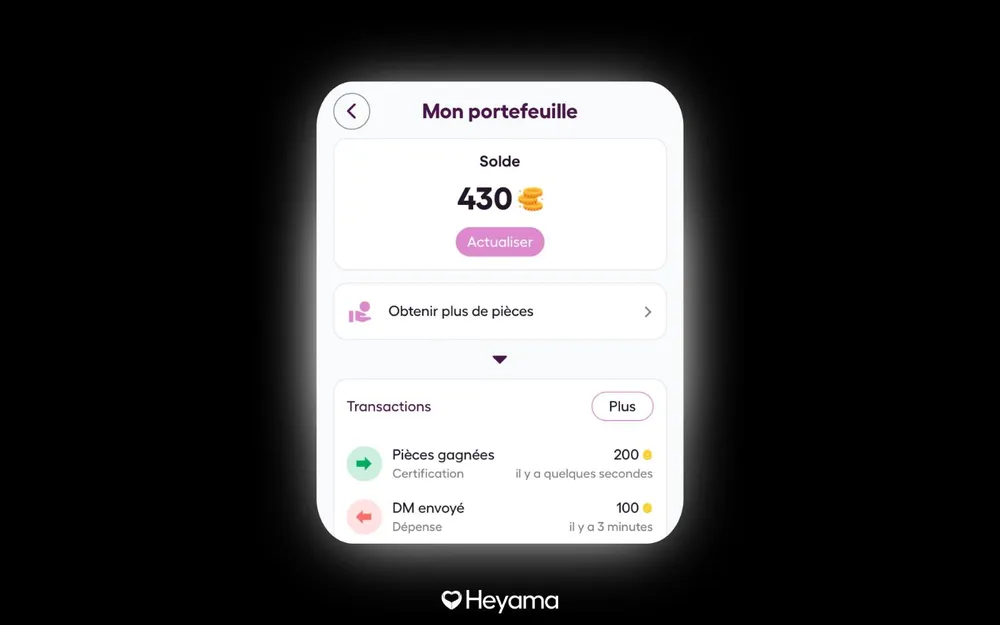
In Activity > Views, see who opened your profile in the last 24 hours and send them a DM directly (200 coins). Opening these profiles requires a verified profile. A great way to start a conversation without waiting.
Our tip: before you write, read their profile and pick up on a detail from their bio or photos. A personal message is far more likely to get a reply than a plain “hi”.
Favourites
Keep track of the profiles that caught your eye, so you do not lose them in the crowd. Tap the star on a profile: you can keep up to 10 in Activity > Favorites.
Our tip: use Favourites as a list of profiles to come back to with a clear head. Take time to reread their profile before writing, rather than sending messages in bulk.
Incognito Mode
Browse discreetly: only profiles you liked or sent a DM can see you. It is a paid pack of 3, 6 or 12 months.
Our tip: it is the ideal option if you want to explore the app at your own pace, or if you want to keep your love life private.
Prepare your profile before using these features
A Boost, or a message sent after a Profile View, will not do much if your profile is not appealing. Before you start:
- Choose recent, sharp photos where your face is clearly visible and you are smiling.
- Write a short, personal bio: who you are, what you love, what you are looking for. Get inspired by our tips for writing a captivating bio.
- Be clear about your intentions: serious relationship, friendship or something else, it attracts the right people.
Which feature to use for your situation
- You have just signed up: start with Incognito Mode to browse profiles calmly while you polish your own.
- Your profile is ready but gets few visits: turn on a Boost to get noticed.
- Several profiles catch your eye: add them to your Favourites, then write first to the ones you have the most in common with.
- Someone looked at your profile: check your Profile Views and send a first message that shows you read theirs.
Mistakes to avoid
- Boosting an incomplete profile: you get visibility, but few matches.
- Sending the same message to everyone: people can tell, and they reply less.
- Collecting Favourites without ever writing: a saved profile will not move forward on its own.
- Insisting when there is no reply: respect the other person’s pace and move on to another conversation.
Dating at your own pace
Every option was designed to make your dating simpler, more sincere and better suited to your pace. Combine them as you like: Incognito Mode to explore, Favourites to keep the profiles you like, Profile Views to start conversations, Boost to get noticed.
👉 Download Heyama and discover profiles that match you.