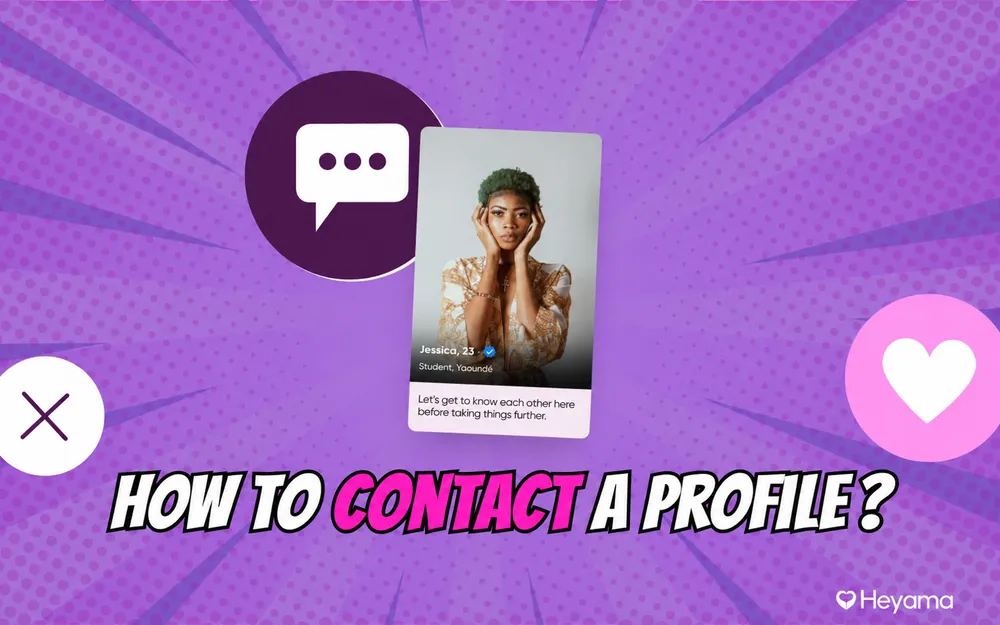
Ready to explore dating on Heyama? To contact a profile you like, the app gives you three options: the heart, the DM and the cross. Let's discover together how hearts find each other! 💖✨
The heart: like a profile to create a match
If a profile interests you after looking at it in detail, tap the heart. If that profile likes you back, it creates a match, and you can then chat in the app's messaging.
The DM: write before you even match
Use a DM to really show your interest in a profile. You can send them a message before you even match. If they respond positively, a conversation is created straight away.
The "Send a DM" button (a chat bubble with a coin) sits between the cross and the heart. Each DM costs 200 coins. The other person receives it in Activity > DMs and replies for free.
To boost your chances, personalise your DM: mention a detail from their bio or a shared passion, ask an open question and stay respectful. A copy-and-paste message is spotted instantly.
The cross: pass on a profile
Finally, if a profile doesn't interest you, tap the cross. Changed your mind? You can find a profile you didn't like in your history.
Video guide
Once you have a match, it's time to talk: discover our tips to start a great conversation after a match.